Capsuleers.app logo CAPSULEERS.APP

Guide · Navigation

Route Planner — complete guide

The Route Planner computes the gate route between two systems of New Eden the way the in-game autopilot does, and adds what the client does not: shortcuts through Thera, Turnur and Drifter wormholes, live incursion and insurgency flags, waypoints in any order and a link you can share.

Last updated:

Account
Not needed — only to send the route to the client
Data
CCP ESI routes, EVE-Scout, drifter-scout
Waypoints
Up to 10, in the order you choose
Shortcuts
Thera, Turnur, Drifter wormholes
A route from Somouh to Trytedald through Thera: the itinerary system by system with region and security, and the wormhole transit highlighted
Somouh to Trytedald through Thera: the wormhole saves a trip across the cluster.

What is the Route Planner on Capsuleers.App?

The Route Planner on Capsuleers.App calculates the gate route between any two systems of EVE Online with the Shorter or Safer policy, using CCP's ESI, the same service the in-game autopilot relies on, so a plain gate route here is the route the game would give you. No account is needed to compute it.

On top of that route the planner can splice in public wormholes: the Thera and Turnur connections scanned by EVE-Scout and the Drifter doorways tracked by drifter-scout, each with the signature you need to scan. A shortcut is used only when it saves jumps, and the itinerary then shows a transit row with the entry and exit signatures.

Every system on the itinerary shows its region and security, and is flagged when a Sansha incursion or a pirate insurgency is running there. You can exclude single systems, or every incursion and insurgency system at once, add up to ten waypoints, and share the finished route as a link that recomputes itself with today's data. With an EVE login the route can also use your alliance's Ansiblex bridges and be sent to the client.

Haulers

Choose between the short route and the highsec one, and see which systems to avoid before undocking.

Explorers and roamers

Cross New Eden through Thera or a Drifter doorway when it saves dozens of gates.

Fleet commanders

Plan a route with stops, share it with the fleet and push it to your own client.

Getting started

  1. Origin and destinationType the two systems and pick them from the suggestions.
  2. Choose the policyShorter for the fewest jumps, Safer to stay in highsec.
  3. Add shortcutsTurn on Thera, Turnur or Drifters if you can scan.
  4. ComputeRead the itinerary, then share it or send it to the game.

Features

Each card: what it does, how to use it, what it needs.
01

How do I calculate a route between two systems in EVE Online?

The Route Planner on Capsuleers.App calculates a gate route between two EVE Online systems: type the origin and the destination, pick each from the suggestions and press Compute. The itinerary lists every system in order, with its region and security status, and the total number of jumps. The route comes from CCP's ESI, the service behind the in-game autopilot, so a plain gate route matches what the client would plot. No account is needed to compute it; signing in is only required by the features that talk to your characters, Ansiblex bridges and Send to Client. The same form also holds the policy, the waypoints, the wormhole shortcuts and the exclusions, so one page covers the whole trip.

How to use it

  1. Click the Origin Point field and type the first letters of the system, then pick it from the list.
  2. Do the same in Destination Point.
  3. Press Compute: the itinerary appears below with the jump count.
No account needed

Tip The security number is coloured like in game: green highsec, orange and red lowsec and nullsec.

Typing Jita and Amarr in the two fields and pressing Compute: the itinerary appears
AnimatedOrigin, destination, Compute: the itinerary system by system.
02

How do I choose the shortest or the safest route in EVE Online?

The Policy button of the Route Planner switches between Shorter, the route with the fewest jumps, and Safer, which prefers highsec systems even when that costs extra jumps. It is the same choice as the autopilot setting in game. Press Compute again after switching to recalculate: the itinerary shows the new jump count and the security status of every system, coloured like in game, so you can judge the trade-off yourself. If no highsec path exists between your two systems, the Safer result still crosses lower security and the security column shows where. Policy does not exclude systems by itself: to keep a specific system or every incursion and insurgency system out of the route, use Quick exclude.

How to use it

  1. Click the Policy button: it alternates between Shorter and Safer.
  2. Press Compute again to recalculate.
  3. Compare the jump count and the security of the systems on the list.
No account needed

Tip From Jita to Dodixie the shorter route crosses lowsec; the safer one adds a few jumps and stays in highsec.

Switching the policy from Shorter to Safer on Jita to Dodixie and computing again: the route gets longer and drops the lowsec systems
AnimatedFrom Shorter to Safer: a few jumps more, no lowsec.
03

How do I add stops to a route in EVE Online?

In the Route Planner you add up to ten intermediate systems, and the route passes through each one in the order you set. Press Add waypoint, pick the system from the suggestions and use the arrows to move a waypoint up or down; the cross removes it. Each leg between two consecutive stops is calculated with the policy you chose and the legs appear as one itinerary. A waypoint is always reached, even if you excluded that system or it sits under an incursion, so use waypoints for places you must visit and exclusions for places to avoid. Waypoints are part of the shared link, so a fleet that opens it gets the same stops.

How to use it

  1. Press Add waypoint: a new numbered field appears.
  2. Type the system and pick it from the suggestions.
  3. Reorder with the up and down arrows, then press Compute.
No account needed

Tip A waypoint is always reached, even if you excluded that system or it is under incursion.

Pressing Add waypoint, typing Dodixie and computing the route from Jita to Amarr through it
AnimatedAdd waypoint, pick the system, Compute.
04

How do I see where each stop is on the route?

In the Route Planner itinerary, every waypoint carries a Waypoint marker next to its region, so you can see where one leg ends and the next begins. Compute a route with at least one waypoint and scroll the itinerary: the marked system is one of your stops, not just a system the gates happen to cross. It is useful on runs with several drops, for instance a hauler stopping at Dodixie between Jita and Amarr, because the marker separates the legs at a glance.

How to use it

  1. Compute a route with at least one waypoint.
  2. Scroll the itinerary: the waypoint system shows the marker next to its region.
No account needed
Dodixie in the middle of the Jita to Amarr itinerary, marked as a waypoint
Dodixie marked as waypoint inside the itinerary.
05

How do I find a route through Thera, Turnur or Drifter wormholes?

To route through wormholes in the Route Planner, switch on Thera, Turnur or Drifters under Compute with (you can combine them) and press Compute. Thera and Turnur connections are scanned by EVE-Scout and the Drifter doorways are tracked by drifter-scout. A wormhole is used only when it saves jumps: the itinerary then shows a highlighted transit row with the signature to scan on the way out, while the entry signature sits on the system row just before. Wormholes in EVE expire and collapse, so a connection that exists now may be gone within a day: compute the route right before leaving and check the maximum ship size in the signature lists below the itinerary, because a hole that fits a frigate will not take a hauler.

How to use it

  1. Turn on Thera, Turnur or Drifters (you can combine them).
  2. Press Compute.
  3. If a wormhole is used, the highlighted row names it and shows the exit signature; the entry signature sits on the system row just before.
No account needed

Tip Wormholes change every day: compute the route right before leaving, and check the ship size the hole accepts in the signature lists.

The itinerary from Somouh to Trytedald: the entry system with its signature to Thera, then the Thera transit row with the exit signature towards Trytedald
The Thera transit: entry signature on the system before, exit signature towards Trytedald.
06

Where can I see all the Thera, Turnur and Drifter connections?

Below every itinerary the Route Planner lists all known public wormhole connections, whether or not your route uses them. Thera and Turnur nodes show the two signatures, the region, the maximum ship size and the time left; the Drifter doorways show their hive and the jumps from Jita. If drifter-scout knows no doorway, or does not answer, the Drifter column says so. The lists do not depend on the route you computed, so you can also use them as a scanning cheat sheet to pick the entrance closest to where you are.

How to use it

  1. Scroll below the itinerary.
  2. Read the three columns: Thera nodes, Turnur nodes, Drifter doorways.
No account needed
The three columns of Thera, Turnur and Drifter connections under the itinerary
Every public connection, independent of the route you computed.
07

How do I know if a route crosses an incursion or insurgency?

The Route Planner flags the risky systems directly on the itinerary. A system with a Sansha incursion gets a red Incursion badge showing the state of the incursion, plus Staging or Boss when they apply; a system hit by a pirate insurgency gets an Insurgency badge with the pirate faction and the corruption level. Hover a badge to read the details. The flags follow what is happening in New Eden now, so the same route can look different tomorrow. Incursion systems in highsec are busy with incursion fleets and Sansha NPCs, which is why a hauler is better off going around.

How to use it

  1. Compute any route.
  2. Look for the badges next to the system names.
  3. Hover a badge to read the details.
No account needed

Tip Incursion systems in highsec are busy with incursion fleets and Sansha NPCs: a hauler is better off going around.

The route from Octanneve to Yveve crossing four systems with the Incursion badge
Octanneve to Yveve crosses an active incursion: four flagged systems.
08

How do I avoid specific systems, incursions or insurgencies on a route?

Quick exclude in the Route Planner keeps systems out of the route. Type single systems to avoid, or switch on Incursion and Insurgency to exclude every system currently affected: the number on each button says how many systems it adds, and the counter shows how many are excluded in total. Typed systems become red chips you remove with their cross; press Compute again to apply the change. Systems in UUA-F4, which players cannot enter, are always excluded automatically. Exclusions are not saved in the shared link, so tell the fleet if your route depends on them.

How to use it

  1. Type a system in the exclude field and pick it: it becomes a red chip, removable with its cross.
  2. Or click Incursion or Insurgency: the number on the button is how many systems that adds.
  3. Press Compute again.
No account needed

Tip Systems in UUA-F4, which players cannot enter, are always excluded automatically.

Clicking Incursion in Quick exclude and computing again: the route from Octanneve to Yveve goes around the incursion
AnimatedIncursion on: the route goes around the infested systems.
09

How do I share a route with my fleet?

Share link in the Route Planner copies an address that contains origin, destination, policy, the Thera and Turnur choice and the waypoints. Whoever opens it gets the route calculated again with today's data, so the itinerary never goes stale, and pasted in Discord the link shows a preview card with the jump count, the regions crossed and the security of every system. Manually excluded systems and the Drifter option are not part of the link.

How to use it

  1. Compute the route.
  2. Press Share link next to the jump count.
  3. Paste the link wherever you want.
No account needed

Tip Manually excluded systems and the Drifter option are not part of the link.

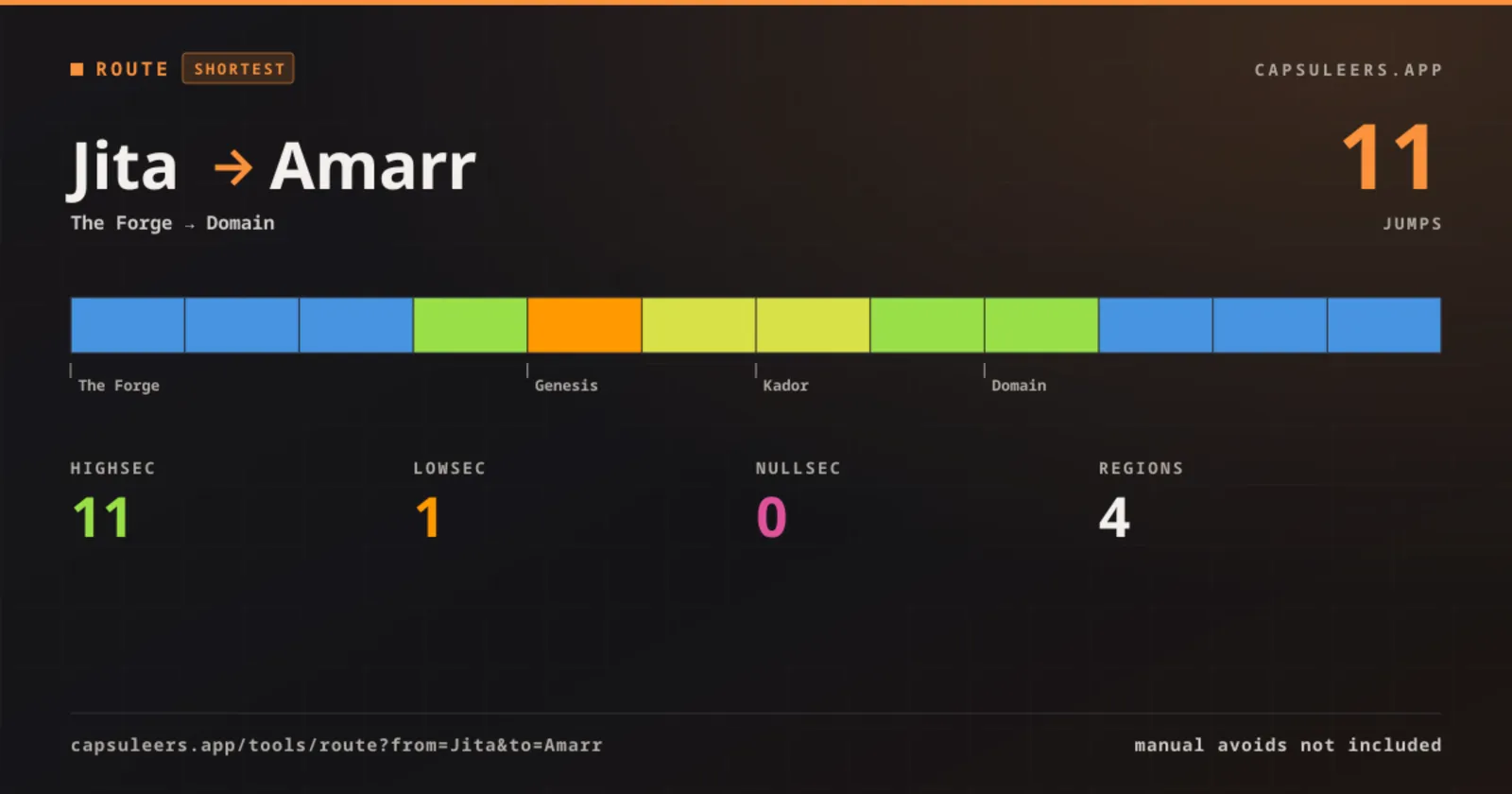
The preview card a shared route link shows in Discord: Jita to Amarr, with the jump count, the regions crossed and the security of every system
What the link shows when you paste it in Discord.
10

Can I route through my alliance's Ansiblex jump gates?

Yes: once you sign in with EVE, the Route Planner can use the Ansiblex bridges of your alliance. A row under Compute with lets you pick the character whose alliance bridges the route may use, and an Ansiblex chip switches them On or Off. It is On by default when the alliance of the character has known bridges. A jump over a bridge counts as one jump and is highlighted in the itinerary, with a separate Ansiblex counter next to the jump count.

How to use it

  1. Sign in with EVE: the Ansiblex row appears under Compute with.
  2. With more than one character linked, pick the one whose alliance owns the bridges: the line beside the chip shows the alliance and how many bridges are known.
  3. Press the Ansiblex chip to turn it Off if you want a gate-only route, then press Compute.
  4. Find the Ansiblex jump rows in the itinerary: they show the two ends of the bridge.
EVE login

Tip If no bridge of the alliance shortens the trip, a note says the route uses gates only. Too many shortcuts for ESI leave out some Thera, Turnur or Drifter connections to keep your bridges.

The Ansiblex row of the Route Planner: the chosen character with its alliance and the Ansiblex chip switched On with the bridges known
Character and Ansiblex chip: On by default when the alliance has bridges.
11

How do I spot an Ansiblex jump in the itinerary?

When an Ansiblex bridge shortens the route, the Route Planner shows an Ansiblex jump row between the two systems it connects, highlighted in cyan so it stands out from gates and wormholes. Read the systems at its two ends to know where to enter and where you come out. A bridge jump counts as one jump and is tallied in a separate Ansiblex counter next to the jump count. It needs an EVE login because the bridges are those of your character's alliance.

How to use it

  1. Compute a route with the Ansiblex chip On.
  2. Look for the Ansiblex jump row and read the systems at its two ends.
EVE login
An itinerary with an Ansiblex jump row highlighted between two systems
The bridge jump is highlighted in the itinerary.
12

How do I send the route to my EVE client?

Send to Client in the Route Planner sets the whole itinerary as the autopilot route of the character you pick, waypoint by waypoint, with a progress counter. It needs an EVE login and the waypoint permission enabled for that character in your profile. Compute the route, press Send to Client and pick the character: the route appears in your client. Sending replaces the route the character already had, so check it is not carrying a different plan.

How to use it

  1. Sign in with EVE and enable the waypoint permission for the character in your profile.
  2. Compute the route and press Send to Client.
  3. Pick the character: the route appears in your client.
EVE loginWaypoint scope

Tip Sending replaces the route the character already had.

Pressing Send to Client opens the list of characters that can receive the route
AnimatedSend to Client: pick the character that will fly it.

Frequently asked questions

Can the route use my alliance's Ansiblex?

Yes, once you sign in with EVE. The Ansiblex chip under Compute with is On by default when the alliance of your character has known bridges; pick another character or turn it Off for a gate-only route.

Is the route the same as the in-game autopilot?

For gate routes, yes: it comes from CCP's ESI with the same Shorter and Safer options. The planner adds wormhole shortcuts and exclusions the autopilot does not know.

How do I find a route through Thera in EVE Online?

Turn on the Thera button under Compute with and press Compute. If a Thera connection shortens the trip, the itinerary includes it with the entry and exit signatures to scan.

How fresh are the wormhole connections?

Thera and Turnur come from EVE-Scout and the Drifter doorways from drifter-scout, read again every few minutes. A hole can close at any time: compute right before you leave.

Can I avoid lowsec completely?

Choose the Safer policy: the route prefers highsec. If no highsec path exists the result will still cross lower security, and the security column shows where.

How many waypoints can I add?

Up to ten. The route passes through each one in the order of the list, and you can reorder them with the arrows.

Why does the route never cross Zarzakh?

Entering Zarzakh by gate locks you to that same gate for six hours, so it cannot be used as a corridor. The planner only uses it when it is your origin or your destination.

Can I avoid incursion systems?

Yes: click Incursion under Quick exclude and compute again. Insurgency does the same for systems affected by a pirate insurgency.

Do I need an account?

No. Only sending the route to the game client needs an EVE login with the waypoint permission.